
Last updated and reviewed: February 2023
Reading Time: 7-8 Mins
Skill level: Beginner
How Does GA4 Work?
The most significant change with GA4 is how data is collected from your website. Universal Analytics collected session-based data. Each session was made up of different “hit types”, whereas GA4 is event-based.
Event data is anonymous, and the importance is now placed on specific actions taken instead of specific users taking those actions. This allows you to track complex buyer journeys across multiple devices accurately.
An Event in Google Analytics is where a visitor has interacted with your website in some way. Typical examples are where the user has:
- Watched a YouTube video
- Clicked on a menu link
- Downloaded a PDF file.
To clarify In UA, you had to track mobile apps and websites with a separate property. In GA4, you can now combine them in one property using data streams.
You may have also spotted that UA views no longer exist in GA4. Google Analytics 4 doesn’t use customised views like Universal Analytics. Instead, you have a single reporting view. You can apply data filters to your reporting view to filter out internal traffic instead of creating a custom view like you would in Universal Analytics.
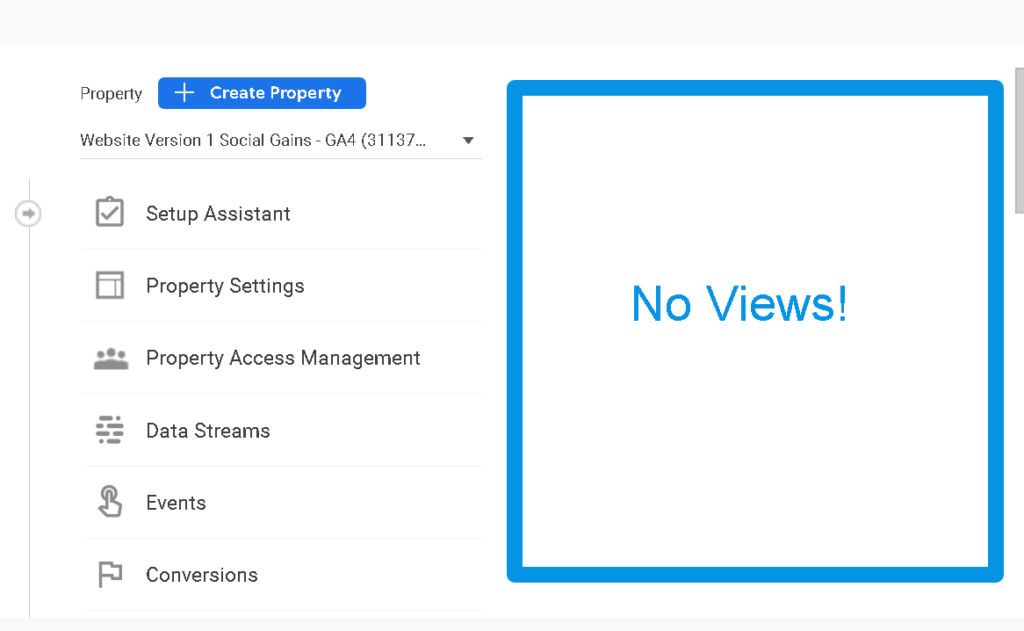
Ultimately, GA4 offers a far superior solution, as practically most websites have some Events (on-page actions) that need to be tracked and GA4 will give us greater detail on those user interactions.

Scale your business like an 8- or 9-figure company with AI systems.
I’m inviting the first few members in free for life as “founding members“. Learn how to scale your business like an 8- or 9-figure business, dominating search engines and capturing demand.
If you want in, get access to proven AI marketing and sales techniques that drive real results.. Join our free AI Skool group today.
What Existing GA Data Can Be Transferred Over?
It is not possible to import your historical data directly from UA to GA4 so the sooner you install GA4, the sooner you’ll start collecting data you’ll need for your website’s historical analysis.
This means that you’re starting from scratch when you create and install a new property using the GA4 platform.
Google has released a new Google Sheets add-on called ‘GA4 Migrator for Google Analytics’ through which you can re-create Universal Analytics (GA3) audiences in GA4 as well as users and their permissions from Universal Analytics to GA4.
Bookmark the link here.
The migration will have a big impact on how you measure performance data because:
- GA4 does not include historical data from Google Analytics
- No tracking can be transferred, instead, new code must be implemented
- Every Looker Studio dashboard using GA as a data source will need to be rebuilt
Whilst you can mostly track the same goals, events and conversion data in GA4 as you were tracking in Universal you will need to set these up in line with the new model.
📌 Genius Tip: Are you a Google Analytics 360 customer and need to export historical data? If so, you have alternative options. However, setting up a historical data export will require additional planning and analysis.

Some of the questions to ask are:
- Is there a need to export additional historical data (beyond the data that was collected previously or that is covered by BigQuery)?
- Is BigQuery available for data export?
- If BigQuery is not available, what third-party solution can be used for setting up export?
- How far back is the data needed?
- Would only high-level KPIs suffice for the business?
Click here if you’re interested in upgrading to Google Analytics 360
Key Terms – Google Analytics 4 Glossary
Measurement ID
Rather than having a tracking ID like in Universal Analytics, in GA4 it’s called Measurement ID. Each data stream has a unique measurement ID. It begins with “G-” and then a series of letters and numbers.
Data Streams
Instead of having a single Tracking ID for your property (which you’ll find in Universal Analytics), you can create one or more Data Streams. This means data is collected for each stream you have configured in GA4. As the name suggests, a data stream lets data flow to your reports in GA4.
Once a data stream is added, you get a measurement ID — equivalent to a tracking ID in UA — to be used in any kind of tracking code implementation.
Events
Universal Analytics had events too, but they’re totally different in GA4. Any engagement with your site is now called an event, including page views. In Universal Analytics, interactions were tracked as “hits”. Now they’re all events. GA4 has automatic, recommended, and custom events.
Engagement Rate
The percentage of visitors who
- Visited more than one page
- Had a Conversion Event
- Spent more than 10 seconds on the page
Engaged Sessions
It is the number of sessions where the user visited more than one page OR had a Conversion Event OR spent more than 10 seconds on the page.
Average Engagement Time
The length of time the website had “focus” in the browser. So, if a user switches to another tab in the browser, the website will be out of focus. This is a much more reliable measurement of time (Session Duration / Time on Page) than the current GA3 provides.
📌 Genius Tip Accessing The GA4 Demo Accounts
Start using the GA4 demo accounts as you can’t beat hands on the tools experience. Google has released a couple of demo accounts for Google Analytics 4 (GA4). This account contains two fully-functional GA4 demo properties.
The demo account lets you explore GA4 using demo data, without affecting your own data. Get a real feel of the user interface. Don’t worry about breaking anything! You cannot break anything in the GA4 demo account. You can remove the demo accounts below once logged in to your Analytics accounts.
The ‘GA-4 Google Merchandise Store’ property contains data from the Google Merchandise Store. The GA-4 Flood-It!’ property contains data from Google ‘Flood-it’ mobile ap
Key Takeaways
- GA4 completely changes Google’s tracking process and is now event-based.
- Save Universal Analytics data via BigQuery Export (Google Analytics 360 customers only)
- There are no account-level or view-level data filters in GA4.
Keep up to speed as Google rolls out new features by bookmarking the page below to ensure you get updates about the critical features that Google releases. What’s New In GA4? –


